Zig Zag Switch Color


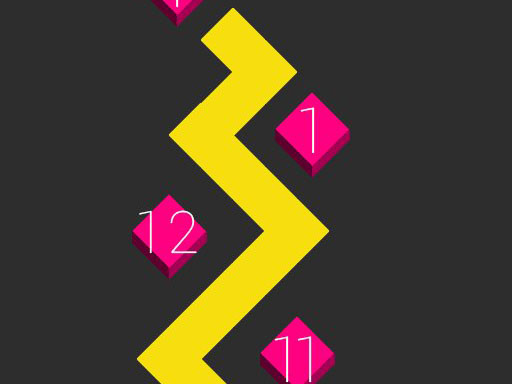
Every tap flips a neon line, every flip reshapes the puzzle. Zig Zag Switch Color cranks the classic clicker loop into a vivid, rhythm‑driven challenge. The core loop is simple: tap, watch colors cascade, and chase higher scores before the timer runs out. It’s the perfect pick‑up‑and‑play title for a quick break or a marathon session. If you love watching colors pop and a scoreboard that climbs faster than your reflexes, this game grabs attention and refuses to let go.
The control scheme strips away clutter. One button, one action—tap or press and the zig‑zag line flips direction, swapping its hue instantly. No menus, no upgrades to navigate mid‑game; just pure, kinetic input that feels satisfying on any device.
Success hinges on timing and pattern recognition. Early levels introduce a single color lane; the goal is to tap at the precise moment the line reaches the edge. As you advance, multiple lanes appear, each flashing a different Color. Prioritize the lane that will yield the biggest combo, then switch focus before the next segment arrives.
Keep an eye on the combo meter—each consecutive correct flip multiplies your points. When the meter spikes, your clicks become more valuable, so resist the urge to rush and let the rhythm settle. The game rewards players who can read the upcoming zig‑zag path a beat ahead; this foresight unlocks hidden bonus rounds that boost your total score dramatically.
Progression is tied to a classic clicker loop: every milestone adds a subtle visual upgrade—brighter neon, smoother animations, or a new background theme. These upgrades don’t alter core mechanics, but they reinforce the feeling of advancement and keep the experience fresh. For long‑term players, the leaderboard becomes a personal battlefield; climbing it means sharpening reflexes and mastering the color‑switch timing.
Pro tip: practice the “double‑tap” technique. A quick double click on a lane that’s about to change color can lock in a higher combo without missing the next segment. Pair this with a steady rhythm, and you’ll see scores climb faster than the timer ticks down.
Ready to test your reflexes and dominate the leaderboards? Jump straight into Zig Zag Switch Color and see how fast you can rack up points. The neon lines are waiting, and Juegos has polished every pixel for maximum impact. Start clicking now—your next high score is just a flip away.

We use cookies to help you navigate efficiently and perform certain functions. You will find detailed information about all cookies under each consent category below.
The cookies that are categorised as "Necessary" are stored on your browser as they are essential for enabling the basic functionalities of the site.
Necessary cookies are required to enable the basic features of this site, such as providing secure log-in or adjusting your consent preferences. These cookies do not store any personally identifiable data.
Functional cookies help perform certain functionalities like sharing the content of the website on social media platforms, collecting feedback, and other third-party features.
Analytical cookies are used to understand how visitors interact with the website. These cookies help provide information on metrics such as the number of visitors, bounce rate, traffic source, etc.
Advertisement cookies are used to provide visitors with customised advertisements based on the pages you visited previously and to analyse the effectiveness of the ad campaigns.
We also use third-party cookies that help us analyse how you use this website, store your preferences, and provide the content and advertisements that are relevant to you. These cookies will only be stored in your browser with your prior consent.
You can choose to enable or disable some or all of these cookies but disabling some of them may affect your browsing experience.